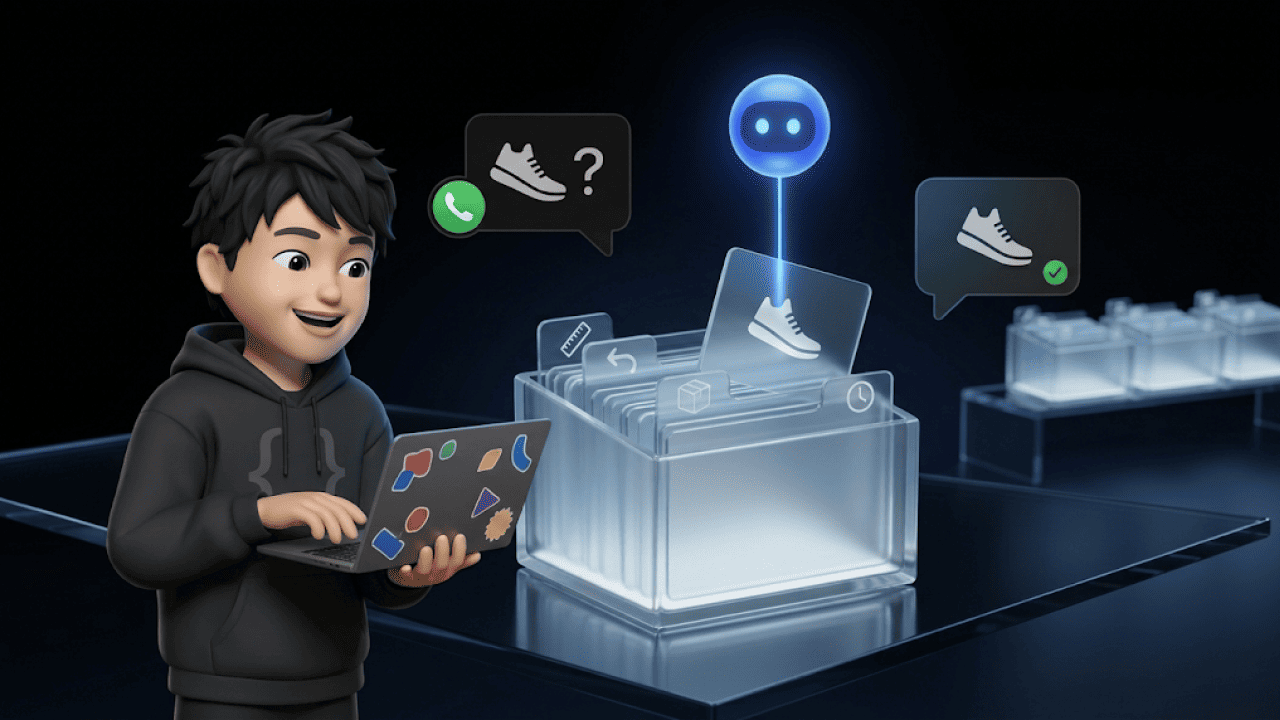

A customer service chatbot answers customer enquiries automatically, around the clock and on the channels where your customers write. Modern bots take their answers from your own data and resolve requests such as order status or returns directly in your shop. Today, around a third of tickets can realistically be automated, and the best quarter of merchants reaches 61.2% on average. That is what our benchmark with 131 shops and 2.9 million tickets shows.
In this guide, you will learn what a customer service chatbot needs to do and in which five use cases it pays off. You will also find the key tools, the right KPIs and a rollout plan in three phases.
What is a customer service chatbot?
A customer service chatbot is software that answers customer questions without an agent. You will also find it called a support bot, service bot, customer support chatbot or simply a chatbot for businesses. What matters is whether the bot only answers or can also act. Today there are three types.
| Type | How it works | Typical support cases | Limit |
|---|---|---|---|
| Rule-based bot | Click paths like a phone menu | Routing by topic, opening hours | Fails with freely worded requests |
| AI chatbot | Answers in full sentences from help centre and FAQs | Delivery times, payment methods, product questions | Reads data but changes nothing |
| AI agent | Completes tasks directly in shop and helpdesk | Cancellations, address changes, returns | Needs integrations and approval rules |
A rule-based bot is the digital version of a phone menu. An AI chatbot also understands "where's my parcel gone?" and answers in full sentences. An AI agent goes one step further and, for example, changes the delivery address directly in Shopify.
How does a customer service chatbot avoid wrong answers?
Modern bots work with RAG, retrieval-augmented generation. For every question, the bot searches your knowledge base for relevant passages and writes its answer only from them. If the answer is missing from the knowledge base, it passes the conversation to a human. Additional rules, known as guardrails, define what the bot never talks about, such as discounts without approval.
Which customer service chatbots are there? 5 tools at a glance
Which chatbot suits you depends mainly on your channel and your shop system. These five solutions and providers cover the typical starting points of shops in Germany, Austria and Switzerland, from helpdesk suites to website chat. Our overview of chatbot providers has the full comparison with prices.
| Tool | Focus | Best for |
|---|---|---|
| armincx by Chatarmin | AI agent with actions in Shopify and JTL, one inbox for WhatsApp, email, Instagram and live chat | E-commerce in the DACH region with WhatsApp as a channel |
| Zendesk | Helpdesk suite with AI agents and ticketing | Teams already working with Zendesk |
| Intercom | Fin AI Agent in the Intercom Messenger | SaaS and tech teams with website chat |
| Tidio | Live chat with the Lyro AI agent and a Shopify integration | Small shops focused on website chat |
| Lime Connect (formerly Userlike) | Messaging platform from Cologne with AI features | Teams focused on live chat |
As of November 2026, based on vendor information. The order is not a ranking.
What does a customer service chatbot need to do in 2026?
A good customer service chatbot meets four criteria: real integrations, no-code operation, data protection and a clean handover. If one of them is missing, the work ends up back with your team.
Real integrations: The bot must be able to read orders in Shopify or WooCommerce and change them when needed. Ask for ready-made integrations for your stack, because pure API access usually means development work.
No-code operation: Support and marketing must be able to adjust answers, flows and rules themselves. Every change that goes through IT costs days.
Data protection and the AI Act: Look for hosting in the EU, a data processing agreement and a clear AI notice in the chat.
Handover with context: When the bot passes a case to a human, the full history must go with it. The section on handover below explains exactly how this looks.
5 use cases: where does a customer service chatbot pay off?
A chatbot pays off for requests your team handles again and again in the same way. In e-commerce, these are mainly the following five areas.
1. Order status and tracking
"Where's my parcel?" lands in every online shop's inbox every day. The bot fetches the status from the shop and sends the tracking link without an agent stepping in.
2. Returns and exchanges
The bot explains the return period and creates the return directly. Connected to a returns tool such as Returnista, the customer gets the label in the same chat.
3. Cancellations and address changes
As long as the order has not shipped, an AI agent can cancel it or change the address. This saves a lot of time, because these cases otherwise need several clicks in shop and helpdesk.
4. Product advice
The bot asks about size, occasion or budget and recommends suitable products with a link to the shop. This often turns a support request into an extra purchase.
5. Delivery times, payment and availability
An AI chatbot answers questions about delivery times, payment methods or "When is this back in stock?" from your knowledge base. These questions are a good starting point for a first bot, because the answers are fixed.
What does this look like in practice?
At the bedding retailer Zelesta, the AI agent of armincx is the first point of contact on WhatsApp. Of more than 30,000 tickets a month, the AI has handled over 45% without an agent since month two. For sensitive emails, the AI writes a draft that an agent approves.
When should the chatbot hand over to a human?
The chatbot should hand over as soon as a case needs empathy, goodwill or an exception. Typical examples are complaints about damaged goods, upset customers and questions outside the knowledge base.
What matters is a handover with full context. Your agent sees what the customer wrote, what the bot answered and which actions it has already taken. The customer does not have to repeat anything, and the handover feels like a normal conversation.
What are the benefits of a customer service chatbot?
A customer service chatbot mainly brings faster resolutions and relief during peak times. In our AI customer service benchmark, data from 131 shops shows three clear effects.
First: automated tickets are resolved faster. Tickets resolved by AI close after a median of 1.9 days, manual ones after 3.0 days. Tickets from a workflow are even done after one day.
Second: peak season becomes predictable. In the fourth quarter with Black Friday, automation rises to 35.2%, compared with 32.1% for the rest of the year.
Third: the AI closes 20.3% of the tickets it is involved in without human help. For the remaining tickets, it prepares answers or fetches data, and your team decides.
A chatbot takes pressure off your team. It handles the routine work, so your agents have time for complaints, advice and loyal customers.
How do you measure the success of a customer service chatbot?
You measure success with four KPIs: automation rate, resolution time, customer satisfaction and escalation rate. For the automation rate, the median per merchant in our benchmark is 16.3%, and the top 25% reach 61.2% on average.
| KPI | What it shows | How often to check |
|---|---|---|
| Automation rate | Share of tickets resolved without an agent | Monthly |
| Resolution time | Time from receipt to resolution, as a median | Monthly |
| CSAT | Satisfaction after the conversation with the bot | Monthly |
| Escalation rate | Share of conversations passed to a human | Weekly |
Pay attention to what a vendor measures. "The AI replied" is different from "the AI resolved the request". That is why vendor figures often sound higher than real production data.
How do you introduce a customer service chatbot? 3 phases
The best way to introduce a chatbot is in three phases, from simple questions to real actions. You make the fastest progress if you start small and expand the bot step by step.
Phase 1: Automate the most frequent questions
Pull a quarter's worth of tickets from your helpdesk and count which requests come up most often. The ten most frequent questions go into the knowledge base first. At the start, let the bot write drafts only, which your team approves.
Phase 2: Connect your systems
Once the answers are solid, connect the bot to your shop, shipping and CRM. Now it can retrieve order status and delivery times in real time.
Phase 3: Enable actions
In the final step, the bot may act, for example by creating returns or changing addresses. Set clear rules for what the bot may do on its own and when it asks. Our AI agents for customer service feature shows how AI agents do this technically.
What applies legally?
Article 50 of the EU AI Act has applied since 2 August 2026 (Baker Botts). A chatbot must tell users that they are talking to an AI, unless this is obvious. For data protection, you need a provider with a data processing agreement, and with armincx: hosting in the EU, servers in Germany.
What role does WhatsApp play in customer service?
WhatsApp matters in customer service, while email remains the largest channel. In our benchmark, 63% of tickets arrive by email, 15.4% via Instagram and 11.2% via WhatsApp. A good chatbot therefore works on all channels with the same knowledge base.
For shops with many WhatsApp enquiries, the channel still deserves its own look. If the customer writes first, Meta does not charge for the first 1,000 replies per number and month. Our guide to the WhatsApp chatbot explains how to set up a bot specifically for this channel.
Conclusion: a customer service chatbot is a tool for your team
A customer service chatbot pays off as soon as your team answers the same questions every day. Start with the ten most frequent questions, measure the real resolution rate and only then enable actions for the bot. This way, you take pressure off your team without risking quality.
Which tickets armincx would start with in your shop is something we can work out together in a demo. 15 minutes, free, with your own support cases.
FAQ: frequently asked questions about customer service chatbots
What is a customer service chatbot?
Software that answers customer questions automatically, often also called a support bot. Modern AI bots answer from your knowledge base and resolve some requests directly in your shop.
What is the difference between an AI agent and a classic chatbot?
A classic chatbot gives answers, while an AI agent also takes actions. For example, it changes a delivery address in Shopify or creates a return.
How much can a customer service chatbot automate?
It depends. In our benchmark, 32.9% of all resolved tickets are automated, and the top 25% of merchants reach 61.2% on average.
How much does a customer service chatbot cost per month?
It depends. The costs depend on ticket volume, channels and integrations, and our article on chatbot costs puts them into context.
Which AI chatbot is right for businesses?
It depends. Online shops need an AI chatbot with shop integration and actions, while simple website questions often only need an FAQ bot.
Does a chatbot have to disclose that it is AI?
Yes. Since 2 August 2026, Article 50 of the EU AI Act requires a notice, unless the AI is obvious to the user.
Do I still need human support?
Yes. Complaints, upset customers and exceptions belong with your team, while the bot handles the routine.
How quickly can I introduce a customer service chatbot?
A bot for the most frequent questions goes live within a few days to weeks. With integrations into shop, shipping and CRM, it usually takes a few weeks.
What is the difference between a chatbot and live chat?
A chatbot answers automatically, while in live chat an agent writes in real time. Most shops combine both.
Does a chatbot understand colloquial language and typos?
Yes. Thanks to language models, AI chatbots also understand colloquial language, typos and dialect.
Is a chatbot worth it for small shops?
It depends. If the same questions come up every week, a bot saves time quickly, while a good FAQ page is often enough for few enquiries.